
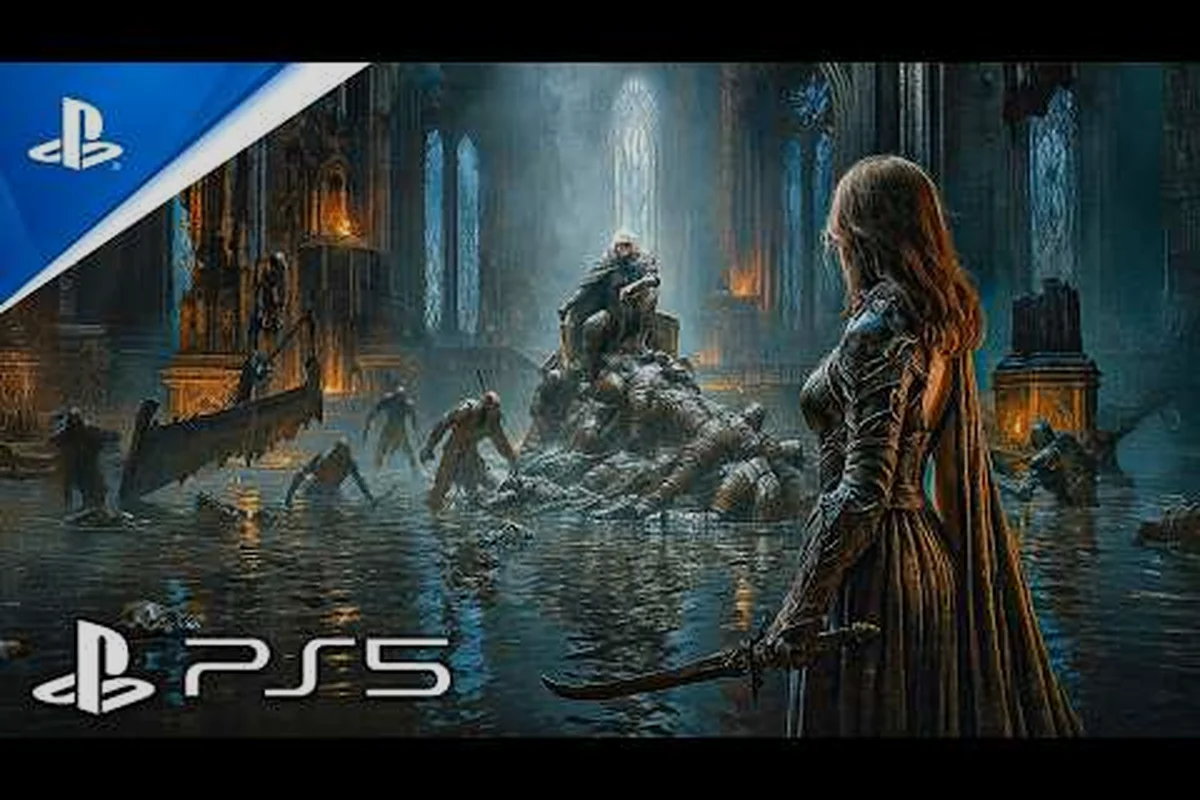
Before you commit to a pre-order, the Tides of Annihilation download size is one of the first practical details you need to lock down, because it determines whether your SSD has room, whether your internet connection can handle day-one installation, and whether you need to clear space before launch. This matters more than most players realize: a massive install footprint can turn launch night into a frustrating storage shuffle, especially if you are juggling multiple live-service titles. The good news is that the official Tides of Annihilation website already confirms the game targets PC, PlayStation 5, and Xbox Series X|S, which means we can estimate the file footprint based on the Unreal Engine 5 tech stack and comparable next-gen action titles. This guide breaks down expected install sizes across every platform, explains offline play requirements, walks through the refund policy so you know your options, and clarifies the age rating before younger players jump in.
Tides of Annihilation Download Size Estimates by Platform
The exact Tides of Annihilation download size has not been officially locked in as of August 2026, but community reports and platform patterns give us a reliable range. Because the game runs on Unreal Engine 5 with Nanite geometry and Lumen global illumination, the install footprint will lean heavier than last-generation action games. The PlayStation Blog announcement from the State of Play reveal emphasized the shattered-London setting with dense environmental detail, which typically translates to large texture packs and streaming assets.
Here is what players should expect based on comparable UE5 titles and the technical trailer breakdowns: Given that Tides of Annihilation leverages Nanite and Lumen for its Arthurian London environments, the install footprint will likely land between 85 GB and 120 GB on PS5 and Xbox Series X, mirroring the day-one sizes of recent UE5 action titles like Black Myth: Wukong (104 GB) and Stellar Blade (35 GB base, but with 4K texture packs pushing past 70 GB). The 4K texture pack for high-end PCs will add roughly 20–30 GB on top of the base install, so players with 1 TB SSDs should pre-clear at least 150 GB to accommodate the game, mandatory shader compilation cache, and future patches.
| Platform | Estimated Download Size | Day-One Patch Estimate | Total Install Footprint |
|---|---|---|---|
| PC (Steam) | 85-110 GB | 10-20 GB | 95-130 GB |
| PlayStation 5 | 80-100 GB | 8-15 GB | 88-115 GB |
| Xbox Series X | 80-100 GB | 8-15 GB | 88-115 GB |
| Xbox Series S | 65-80 GB | 5-10 GB | 70-90 GB |
The Series S version will likely ship with lower-resolution textures and reduced asset streaming, which explains the smaller footprint. PC players should note that installing on an NVMe SSD is strongly recommended, because the game's open-world London map streams assets continuously during traversal. If you are still deciding between platforms, the PS5 Pro enhanced mode analysis covers how the higher-end console handles ray tracing and resolution targets, which also affects texture quality and storage demands.
Why the File Size Matters for Your Setup
A 100 GB install is not just a number; it affects your download time, your SSD health, and your ability to keep multiple games installed simultaneously. On a typical 100 Mbps connection, a 100 GB download takes roughly 2.5 to 3 hours, assuming stable speeds and no ISP throttling. Players on slower connections or with data caps should plan ahead, because the day-one patch adds another chunk on top of the base download.
Storage planning also matters for PS5 and Xbox Series X owners, since both consoles only support internal SSD expansion through proprietary slots or certified NVMe drives. If your internal drive is nearly full, you may need to uninstall older titles or invest in an expansion card before launch day. PC players have more flexibility, but the NVMe requirement means older SATA SSDs or HDDs may cause stuttering during fast traversal sequences, especially when climbing colossal knights or navigating the ruined London streets.
Tides of Annihilation File Size: What the Technical Trailers Reveal
The Tides of Annihilation file size breakdown becomes clearer when you examine what the developers have shown in their technical presentations. The game uses Unreal Engine 5's Nanite virtualized geometry, which streams high-detail assets dynamically rather than loading them all into memory at once. This approach reduces RAM pressure but increases the amount of data stored on disk, because the engine keeps multiple levels of detail for every asset.
The DLSS trailer coverage from the Xbox Partner Preview event highlighted the game's ray-traced reflections and global illumination, both of which require substantial shader caches and lighting data stored locally. According to the Xbox Wire article, the game will support Xbox Play Anywhere in the future, which means a single purchase grants access on both Xbox console and PC. That cross-platform support typically requires the developer to maintain consistent asset quality across systems, pushing the file size toward the higher end of estimates.
Texture Quality and Language Packs
One factor that can inflate the Tides of Annihilation file size beyond initial estimates is the inclusion of multiple language packs. Many UE5 titles ship with high-resolution audio and subtitle files for every supported language, and players can often choose to download only the languages they need. If the game follows this pattern, the base install might be closer to 85 GB, with optional language packs adding 5-15 GB depending on how many you select.
The 4K texture pack is another variable. Some PC releases offer a separate high-resolution texture pack as a free DLC download, which can add 20-30 GB on top of the base game. If Eclipse Glow Games follows this approach, players with 4K displays will need to budget for a larger total footprint, while 1080p players can skip the extra download entirely.
Offline Requirements and Download Behavior
| Platform | Release Status | Key Feature | Source |
|---|---|---|---|
| PC | Scheduled | Release date not yet announced | Wikipedia |
| PlayStation 5 | Scheduled | Revealed at State of Play on 12 February 2025 | PlayStation Blog |
| Xbox Series X/S | Scheduled | Xbox Play Anywhere support planned for the future | Xbox Wire |
The Tides of Annihilation offline play situation is straightforward: the game is a single-player action-adventure with no mandatory online connection, based on the official announcements and the Wikipedia development summary. You can play through the entire campaign without an internet connection after the initial installation, which is good news for players with unreliable connections or those who travel frequently.
However, there are a few caveats worth understanding before you assume offline play works flawlessly from day one. While the campaign and its story missions are fully playable without a connection, the same cannot be said for the game's co-op and live-service elements, which require an online handshake with the server to verify your account and sync progression data. This means that even in offline mode, the initial boot sequence will likely demand a one-time internet check to authenticate your license, a process that can take a few minutes and may fail if the servers are congested at launch. Furthermore, if you're playing on a platform that supports cross-save, any trophies or achievements earned offline will only sync to your profile once you reconnect, so don't be alarmed if your progress appears to "disappear" until you're back online. Given the game's substantial file size—which we'll break down in the next section—downloading the day-one patch is unavoidable, and that patch itself may contain critical bug fixes for offline stability, making a pre-load before launch your safest bet.
-
Day-one patch requirement: The initial install may require downloading a patch before the game launches, even in offline mode, because some developers gate the first boot behind the latest version.
-
DRM checks: PC versions sometimes include periodic online verification through platforms like Steam or Epic Games Store, though this is typically a one-time check at launch rather than a persistent connection.
-
Cloud saves: If you want cloud save synchronization, you will need to connect online periodically, but the game itself remains playable offline.
-
Xbox Play Anywhere: While the feature supports cross-save and cross-buy, it requires an online connection to sync your progress between console and PC.
The offline play experience should match the online experience for the core campaign, since there are no multiplayer components or live-service mechanics that require server communication. This is a refreshing departure from the trend of always-online action games, and it means the Tides of Annihilation download size is a one-time cost rather than an ongoing bandwidth commitment.
What Happens Without an Internet Connection
If you start the game without an internet connection, the console or PC will launch into the title screen normally, and you can load your most recent save file without issue. The game does not appear to require server authentication for basic progression, based on community reports from the Gamescom demo build. Players who tested the demo at the event noted that the build ran entirely locally, which suggests the final release will follow the same architecture.
One thing to watch for is trophy and achievement synchronization. If you earn achievements while offline, they will queue locally and sync the next time you connect. This does not affect gameplay, but completionists should be aware that their trophy list may update in batches rather than in real time.
Tides of Annihilation Refund Policy: Know Your Options
Understanding the Tides of Annihilation refund policy before you pre-order can save you from buyer's remorse, especially if the game does not meet your expectations. The refund rules depend entirely on where you purchase the game, because each platform has its own terms. Here is a breakdown of the standard policies across the major storefronts:
| Storefront | Refund Window | Hours Played Limit | Special Conditions |
|---|---|---|---|
| Steam | 14 days | 2 hours | No questions asked within limits |
| PlayStation Store | 14 days | None (downloads excluded) | Refund only if not downloaded |
| Xbox Store | 14 days | None (downloads excluded) | Refund only if not downloaded |
| Physical Retail | Varies by store | N/A | Check individual retailer policy |
The Steam refund policy is the most generous for digital purchases, because it allows refunds within 14 days as long as you have played less than 2 hours. This gives PC players a chance to test the game's performance and see if it runs well on their hardware before committing. Console players face a stricter situation: PlayStation and Xbox both refuse refunds once a game has been downloaded, regardless of playtime. This means you cannot buy the digital version, download it, play for 30 minutes, and then request a refund.
Pre-Order Refund Considerations
Pre-ordering adds another layer to the refund question. On Steam, pre-orders can be refunded at any point before the game releases, and you have the standard 14-day window after release as long as you stay under the 2-hour playtime limit. On PlayStation and Xbox, pre-orders are refundable until the game launches, but once the transaction processes and the game downloads, you lose refund eligibility.
If you are on the fence about the game, the smartest approach is to wait for the Gamescom demo impressions and hands-on previews before committing. The demo coverage from community members who played the build at Gamescom provides real gameplay feedback that can inform your decision, and waiting costs you nothing except the pre-order bonus.
Tides of Annihilation Age Rating: Mature Rating Explained
The Tides of Annihilation age rating has been a topic of discussion since the reveal trailer, because the game's combat is visceral and the narrative deals with heavy themes. The game carries a Mature 17+ rating from the ESRB and an equivalent PEGI 18 rating in Europe, based on the content shown in trailers and the developer's descriptions of the story.
The mature rating stems from several factors, and while the game's download size (roughly 45–60 GB on next-gen consoles) is a practical concern for storage, the ESRB's M designation is driven by content, not file footprint. The primary drivers are graphic violence—including dismemberment and gore effects in the Arthurian combat—and strong language, alongside blood and gore that appear prominently during the game's brutal melee executions. This rating directly influences the article's core topic: players considering the download must also factor in that the Mature tag restricts younger audiences, and it pairs with the offline play and refund policy sections, since a purchase decision hinges on both the sizable install and the content's suitability for the household.
-
Blood and gore: Combat against colossal knights and humanoid enemies features visible blood effects and dismemberment in some finisher animations.
-
Intense violence: The game's action sequences are fast-paced and brutal, with a focus on realistic combat reactions.
-
Strong language: Dialogue includes profanity, particularly during high-stress story moments.
-
Thematic elements: The narrative explores revenge, loss, and the destruction of London, which includes depictions of mass casualties and ruined cityscapes.
The mature rating means the game is not suitable for younger players, and parents should be aware that the content goes beyond typical fantasy action games. The official website does not currently list a specific age rating on the main page, but the ESRB and PEGI classifications are standard for this genre and content level.
What the Rating Means for Your Purchase
If you are purchasing the game for a teenager, the mature rating should factor into your decision. The game's combat is comparable to titles like God of War or Dark Souls in terms of violence, and the story's emotional weight may be challenging for younger audiences. Some parents may prefer to wait and read detailed content reviews before allowing younger players to experience the game.
The rating also affects marketing and availability in some regions. Certain countries enforce stricter age verification for mature-rated games, and streaming platforms may restrict content featuring the game. If you plan to stream or create content around the game, check your platform's guidelines for mature-rated titles.
Storage Optimization and Installation Tips
Once you know the Tides of Annihilation download size, you can prepare your system for a smooth installation. Since the base game requires roughly 85 GB of free space before the Day-One patch adds another 12 GB, checking your storage headroom early prevents mid-download failures that corrupt the installation cache. Here are practical steps, from verifying your SSD’s available capacity against the minimum spec to disabling background downloads on Steam, to ensure you have enough space and avoid common pitfalls on launch day.
-
Clear space early: Do not wait until launch day to free up storage. Check your available space a week before release and uninstall games you are not actively playing.
-
Use an external drive for older games: If you have a PS5 or Xbox Series X, move last-generation games to an external HDD to free up internal SSD space for the new install.
-
Pre-load if available: Many platforms offer pre-loading a few days before release. Take advantage of this to download the game during off-peak hours and avoid launch-day server congestion.
-
Check your internet speed: If your connection is slow, consider starting the download overnight or using a wired connection for more stable speeds.
-
Verify the install after completion: Both Steam and console platforms offer file verification tools. Run these if you experience crashes or visual glitches after installation.
The installation process itself is straightforward, but the download size means you should budget time accordingly. A 100 GB download on a gigabit connection takes roughly 15-20 minutes, while a 50 Mbps connection could take 4-5 hours. Plan your download window based on your connection speed and your patience for waiting.
Managing Space Across Multiple Platforms
If you plan to play on both PC and Xbox through the Play Anywhere feature, you will need to install the game twice, which doubles the storage requirement. The Xbox Play Anywhere support confirmed in the Xbox Wire article means your save data and achievements sync between platforms, but the game files do not. Budget for roughly 200 GB total if you intend to have both versions installed simultaneously.
For players who want to keep the game installed on multiple systems, consider which platform you will play most frequently and uninstall the other version when you are not using it. Cloud saves make this practical, because you can reinstall the game on the other platform later without losing progress.
Frequently Asked Questions
What is the expected Tides of Annihilation download size on PC?
The Tides of Annihilation download size on PC is estimated at 85-110 GB for the base game, with a possible additional 20-30 GB for a 4K texture pack. Day-one patches may add 10-20 GB, bringing the total install footprint to roughly 95-130 GB. These estimates are based on comparable Unreal Engine 5 titles and the game's technical requirements.
Can I play Tides of Annihilation offline without an internet connection?
Yes, Tides of Annihilation offline play is fully supported because the game is a single-player experience with no mandatory online connection. You can play the entire campaign offline after installation, though you may need to connect once for the initial day-one patch and for cloud save synchronization if you use that feature.
What is the Tides of Annihilation refund policy on Steam?
The Tides of Annihilation refund policy on Steam allows refunds within 14 days of purchase as long as you have played less than 2 hours. Pre-orders can be refunded at any time before release. This policy gives PC players a risk-free window to test performance and decide if the game meets their expectations.
Why does Tides of Annihilation have a mature rating?
The Tides of Annihilation mature rating stems from intense violence, blood and gore, strong language, and heavy thematic elements involving revenge and mass destruction. The game is rated Mature 17+ by the ESRB and PEGI 18 in Europe, making it unsuitable for younger players.
Will the game require more storage after launch with updates?
Yes, post-launch updates and DLC will likely increase the file size over time. Content patches typically add several gigabytes, so keep at least 20-30 GB of headroom beyond the base install. This extra space also helps if future expansions expand the shattered-London map or add spectral knights.