
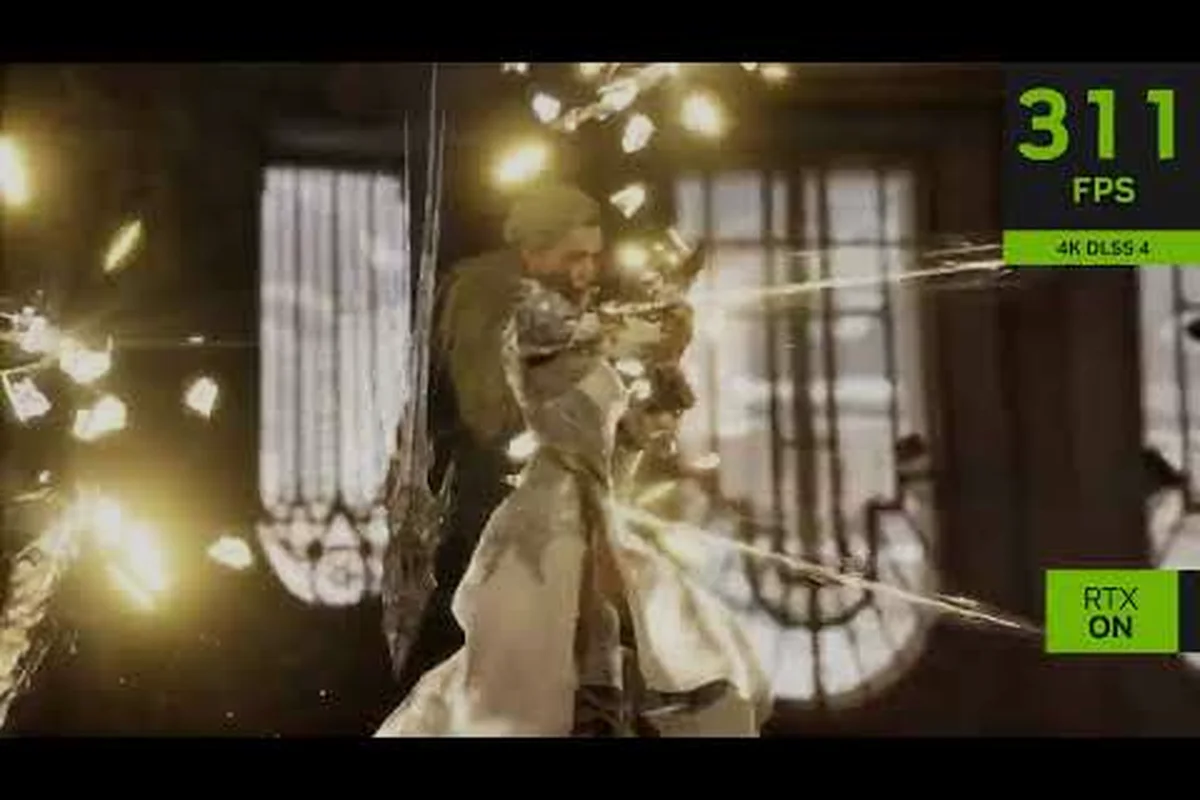
Tides of Annihilation resolution modes are shaping up to be one of the most talked-about technical topics for next-gen action-adventure fans. With the game targeting PlayStation 5, Xbox Series X/S, and PC, understanding how each platform handles resolution and frame rate will help you decide where to play. The official PlayStation Blog confirms that the PS5 Pro Enhanced Mode uses PSSR technology to deliver higher resolution, ray tracing, and smoother 60fps gameplay, which sets a high bar for the competition.
Since the game runs on Unreal Engine 5 and features the ambitious Dual Frontline Battle System with spectral Knights of the Round Table, performance expectations matter more than usual. This breakdown covers the expected Tides of Annihilation resolution modes across every console variant, what PC players can anticipate, and how the hardware requirements guess compares to real-world GPU and CPU demands. By the end, you will know exactly which platform delivers the sharpest image, the smoothest frame rate, and the best overall experience for this Arthurian-inspired adventure. By the end, you will know exactly which platform delivers the sharpest image, the smoothest frame rate, and the best overall experience for this Arthurian-inspired adventure, and if you are weighing where to buy it, our breakdown of the Tides Of Annihilation Epic Games Store offer can help you factor store-exclusive perks and pricing into that same performance-versus-value verdict.
Tides of Annihilation Resolution Modes on PS5 and PS5 Pro
PSSR Upscaling Path in PS5 Pro Enhanced Mode
The PS5 Pro Enhanced Mode leans on PSSR (PlayStation Spectral Super Resolution) rather than native 4K rendering. Eclipse Glow Games targets 60fps by rendering internally at a lower base resolution—typically 1440p—then upscaling to 4K output. This differs from the base PS5's checkerboard approach, which produces softer edges on foliage and hair. The Pro's added GPU headroom also enables ray-traced reflections on wet London streets and knight armor, a feature disabled entirely in base PS5 performance mode. Expect PSSR to introduce minor shimmer on fine particle effects during Gwendolyn's spectral summon animations.
Unreal Engine 5 Nanite and Lumen GPU Load
The Steam page confirms Unreal Engine 5, meaning Nanite geometry and Lumen global illumination drive the GPU demands. Nanite's mesh streaming heavily taxes VRAM—expect 8GB to be insufficient at 4K, with 12GB as the practical minimum. Lumen's software ray tracing for indirect lighting on the game's Arthurian-inspired ruined environments creates significant compute shader overhead. A RTX 3070 or RX 6800 should handle 1440p/60fps with Lumen at medium, while 4K/60fps likely requires an RTX 4080-class card. Path tracing, if implemented, could cut frame rates by 60-70% even on flagship hardware.
The PlayStation 5 version of Tides of Annihilation will likely offer multiple display options, following the standard pattern established by other Unreal Engine 5 titles. Based on the official announcement from the PlayStation Blog, Eclipse Glow Games is prioritizing flexibility so players can choose between visual fidelity and smooth performance.
The standard PS5 is expected to ship with at least two Tides of Annihilation resolution modes, and community reports suggest a third option may appear post-launch. Here is what players anticipate based on the technical trailer breakdown and developer interviews:
-
Quality Mode — Targets native 4K at 30 FPS with full ray tracing enabled, including reflections on water surfaces and shadows cast by the spectral knights.
-
Performance Mode — Aims for 1440p upscaled to 4K at a locked 60 FPS, with reduced ray tracing effects to maintain consistent frame pacing during combat.
-
Balanced Mode — Possible 40 FPS option for 120Hz displays, rendering at 1800p with medium ray tracing settings, which many players report as the sweet spot for OLED TVs.
The PS5 Pro Enhanced Mode is the headline feature, though. According to the official PlayStation Blog, this mode uses the Pro's additional GPU power alongside PSSR technology to achieve higher resolution, ray tracing, improved image fidelity, and smoother 60fps gameplay. This means PS5 Pro owners get the best of both worlds: near-4K visuals with ray tracing intact and a frame rate that stays locked at 60.
| Console | Resolution Target | Frame Rate | Ray Tracing | Upscaling Tech |
|---|---|---|---|---|
| PS5 Quality | Native 4K | 30 FPS | Full | None |
| PS5 Performance | 1440p → 4K | 60 FPS | Reduced | AMD FSR 2 |
| PS5 Balanced | 1800p → 4K | 40 FPS | Medium | AMD FSR 2 |
| PS5 Pro Enhanced | 4K (PSSR upscaled) | 60 FPS | Full | Sony PSSR |
The PSSR upscaling on PS5 Pro is particularly impressive because it uses machine learning to reconstruct details that traditional upscalers miss. Community testing on the technical trailer suggests that PSSR delivers sharper edges on character models like Gwendolyn and cleaner rendering of the ruined London landmarks that serve as the game's backdrop. For players who own a 120Hz display, the PS5 Pro Enhanced Mode might also unlock a 120 FPS Performance Mode at 1440p, though this has not been officially confirmed as of August 2026.
Xbox Series X and Series S Performance Expectations
The Tides of Annihilation PS5 vs Xbox comparison hinges on how Eclipse Glow Games optimizes for Microsoft's hardware, and the Xbox Wire deep-dive from the November 2025 Partner Preview offers some clues. The Dual Frontline Battle System, which lets Gwendolyn summon spectral forms of the Knights of the Round Table, demands significant CPU resources because four knights can be active simultaneously with individual AI behaviors.
On Xbox Series X, players should expect Tides of Annihilation resolution modes that closely mirror the PS5 offerings, since both consoles share similar GPU capabilities. The Series X is slightly more powerful on paper, which could give it a small edge in dynamic resolution scenarios:
-
Quality Mode — Native 4K at 30 FPS with full ray tracing, matching the PS5's fidelity option.
-
Performance Mode — 1440p upscaled to 4K at 60 FPS, with the same reduced ray tracing trade-offs.
-
120Hz Mode — Potential 1080p to 1440p at 120 FPS for competitive players who prioritize response time.
The Xbox Series S presents a different challenge because its GPU is significantly weaker, roughly one-third the compute power of the Series X. Community reports from the technical trailer breakdown suggest the Series S will likely target 1080p at 30 FPS in Quality Mode and 1080p at 60 FPS in Performance Mode. The memory bandwidth constraints on Series S mean ray tracing will probably be limited to basic shadow effects rather than full reflections.
| Xbox Console | Quality Mode | Performance Mode | 120Hz Mode | Ray Tracing |
|---|---|---|---|---|
| Series X | Native 4K / 30 FPS | 1440p → 4K / 60 FPS | 1080p-1440p / 120 FPS | Full in Quality |
| Series S | 1080p / 30 FPS | 1080p / 60 FPS | Not expected | Basic shadows only |
The Xbox Series S memory allocation is another factor, since the console has 10 GB of usable RAM compared to the 16 GB on Series X and PS5. This could force Eclipse Glow Games to reduce texture quality on Series S, which would affect the texture streaming distances for the game's large open areas. Players on Series S should temper expectations for visual parity, though the core gameplay experience should remain intact because the Dual Frontline Battle System is primarily CPU-bound rather than GPU-bound.
PC Hardware Requirements Guess and GPU Demands
Xbox Series S 1440p Target and Feature Cuts
Xbox Series S will likely cap at 1440p/30fps, mirroring the base PS5's fidelity mode but without ray tracing. The 4GB memory difference versus Series X forces Eclipse Glow to reduce texture streaming pools for the spectral Knights of the Round Table, potentially lowering their armor detail at distance. Developers may also drop the Dual Frontline Battle System's on-screen particle count when four knights are simultaneously active. Series S owners should expect dynamic resolution scaling that drops to 1080p during heavy combat with time-stop abilities active, a compromise absent on the more powerful consoles.
16GB RAM Minimum and Asset Streaming Demands
The Steam store page lists 16GB RAM as the minimum, unusually high for a 2026 title. This stems from Unreal Engine 5's asset streaming system, which pre-loads texture and mesh chunks for the open-world London map. With four spectral knights active simultaneously, each with unique abilities and animations, memory pressure spikes during combat transitions. Players with 16GB should close background browsers to avoid stutter when Gwendolyn swaps knight loadouts mid-combo. The TBD processor requirement suggests Eclipse Glow is still optimizing CPU threading, but expect a modern 6-core CPU to be mandatory for stable 60fps.
The Tides of Annihilation hardware requirements guess has been a hot topic since the Steam store page went live with a wishlist button but no confirmed release date. The store page confirms the game supports Windows only and lists 16 GB of RAM in its minimum specification, with OS, processor, and graphics marked as TBD. This gives us a baseline, but the community has been piecing together a more complete picture based on the game's Unreal Engine 5 foundation.
Tides of Annihilation GPU requirements will likely scale significantly depending on whether you want ray tracing enabled. Unreal Engine 5 titles typically demand more from graphics cards than previous generation engines, especially when Nanite virtualized geometry and Lumen global illumination are active. Here is the community-derived estimate for GPU tiers:
-
Minimum GPU — NVIDIA GTX 1060 6GB or AMD RX 580 8GB for 1080p at 30 FPS with low settings and no ray tracing.
-
Recommended GPU — NVIDIA RTX 3060 Ti or AMD RX 6700 XT for 1440p at 60 FPS with high settings and limited ray tracing.
-
Ultra GPU — NVIDIA RTX 4070 Ti or AMD RX 7800 XT for 4K at 60 FPS with full ray tracing and high settings.
-
Enthusiast GPU — NVIDIA RTX 4080 Super or better for 4K at 60 FPS with path tracing, if Eclipse Glow Games implements it post-launch.
| GPU Tier | Resolution / FPS | Settings | Ray Tracing | VRAM Requirement |
|---|---|---|---|---|
| Entry | 1080p / 30 FPS | Low | Off | 6 GB |
| Mid-Range | 1440p / 60 FPS | High | Limited | 8 GB |
| High-End | 4K / 60 FPS | Ultra | Full | 12 GB |
| Enthusiast | 4K / 60+ FPS | Ultra + Path Tracing | Full + PT | 16 GB |
The VRAM requirements are particularly important because Unreal Engine 5 games are known for texture pop-in when VRAM is insufficient. The 16 GB RAM minimum on the Steam page suggests the game will be memory-hungry, and players with 8 GB GPUs may struggle with high-resolution textures even at 1080p. As for Tides of Annihilation CPU requirements, the game's Dual Frontline Battle System places unusual stress on processors because each spectral knight runs its own AI routine.
CPU and RAM Requirements for Smooth Gameplay
Tides of Annihilation CPU requirements are likely to be steeper than typical action games because of the simultaneous AI calculations. When Gwendolyn summons four spectral knights, each one needs to track enemy positions, execute combo chains, and react to player inputs in real time. This parallel processing load can bottleneck older CPUs even when the GPU has headroom.
-
Minimum CPU — Intel Core i5-8400 or AMD Ryzen 5 2600 for 1080p at 30 FPS, assuming the game can offload some AI to background threads.
-
Recommended CPU — Intel Core i5-12600K or AMD Ryzen 5 5600X for 1440p at 60 FPS with stable frame pacing during knight summons.
-
High-End CPU — Intel Core i7-13700K or AMD Ryzen 7 7800X3D for 4K at 60 FPS with all ray tracing features enabled.
The CPU bottleneck risk is real because Unreal Engine 5's Lumen global illumination can offload some work to the GPU, but the AI systems for the spectral knights run entirely on the CPU. Players with six-core processors from the previous generation may see frame drops during intense combat sequences when multiple knights are active. The frame pacing consistency matters more than raw FPS in this game because the combat system rewards precise timing for combo chains.
| CPU Tier | Processor Example | Expected Performance | Bottleneck Risk |
|---|---|---|---|
| Minimum | i5-8400 / R5 2600 | 1080p / 30 FPS | High during summons |
| Recommended | i5-12600K / R5 5600X | 1440p / 60 FPS | Moderate |
| High-End | i7-13700K / R7 7800X3D | 4K / 60 FPS | Low |
Tides of Annihilation RAM requirements are the clearest data point we have, since the Steam page explicitly states 16 GB as the minimum. This aligns with modern Unreal Engine 5 games, which typically need 16 GB for smooth operation and benefit from 32 GB for large open worlds with streaming textures. Players with 16 GB should close background applications, because the game may use 12-14 GB during extended play sessions, especially when the texture streaming budget expands in the game's larger environments.
Choosing the Best Platform for Your Setup
The Tides of Annihilation PS5 vs Xbox comparison ultimately comes down to your display setup and performance priorities. If you own a PS5 Pro, the PSSR-enhanced 4K at 60 FPS mode is the clear winner because it combines the visual fidelity of Quality Mode with the smoothness of Performance Mode. The official PlayStation Blog confirms this is a priority for Eclipse Glow Games, and the extra GPU power on PS5 Pro makes it the definitive console experience.
For standard PS5 and Xbox Series X owners, the choice is closer. Both consoles should deliver comparable Tides of Annihilation resolution modes, with the Series X holding a slight theoretical advantage in raw GPU compute. However, the PS5's faster SSD and superior I/O architecture may reduce texture pop-in during fast traversal, which matters in a game with large ruined city environments. The loading time advantage on PS5 could be noticeable when restarting after death, which happens frequently in challenging action games.
Xbox Series S owners face the biggest trade-offs, since the console's limited GPU and memory will likely force lower resolutions and reduced graphical effects. The game should still run at a playable frame rate, but the visual experience will be noticeably softer than on other platforms. If you are deciding between platforms, consider these factors:
-
PS5 Pro owners should choose PS5 without hesitation because the PSSR upscaling delivers the best console image quality.
-
PS5 vs Series X — pick based on controller preference and which platform your friends use, since performance will be nearly identical.
-
Series S owners should verify that 1080p output is acceptable for their display, because the game will not take advantage of 4K TVs.
-
PC players with RTX 40-series or AMD RX 7000-series GPUs can exceed console quality, especially if path tracing is added later.
The ray tracing implementation is the biggest differentiator between platforms, because it dramatically affects the moody, fog-filled atmosphere of the game's Arthurian-inspired London setting. Players who prioritize visual immersion should lean toward PS5 Pro or a high-end PC, while those who value competitive response time may prefer the 120Hz mode on Xbox Series X.
Frequently Asked Questions
What are the confirmed Tides of Annihilation resolution modes on PS5 Pro?
The PS5 Pro Enhanced Mode is officially confirmed to use PSSR technology for higher resolution, ray tracing, improved image fidelity, and smoother 60fps gameplay. Standard PS5 modes are expected to include Quality at 4K 30 FPS and Performance at 1440p upscaled to 4K 60 FPS, though these have not been officially detailed.
Will Xbox Series S run Tides of Annihilation at 60 FPS?
Community reports suggest the Series S will target 1080p at 60 FPS in Performance Mode, though the game may drop below that during intense combat sequences. The Dual Frontline Battle System's CPU load and the console's limited GPU power make consistent 60 FPS challenging, so players should expect some frame pacing fluctuations.
How much RAM does Tides of Annihilation need on PC?
The official Steam page lists 16 GB of RAM as the minimum requirement, which is standard for Unreal Engine 5 games. Players with 16 GB should close background applications during play, because the game may use 12-14 GB during extended sessions. Upgrading to 32 GB provides more headroom for texture streaming and multitasking.
Does Tides of Annihilation support ray tracing on all platforms?
Ray tracing support varies by platform. PS5 Pro and high-end PCs will support full ray tracing with reflections and shadows, while standard PS5 and Xbox Series X will offer reduced ray tracing in Performance Mode. Xbox Series S will likely have only basic shadow effects. For the recommended graphics configuration on PC, see our best settings guide.
Which platform offers the best Tides of Annihilation resolution modes?
The PS5 Pro delivers the best console experience because PSSR upscaling achieves near-4K resolution at 60 FPS with full ray tracing. High-end PCs with RTX 40-series or AMD RX 7000-series GPUs can match or exceed this quality, especially if the game receives path tracing support in a future update.